
Introduction
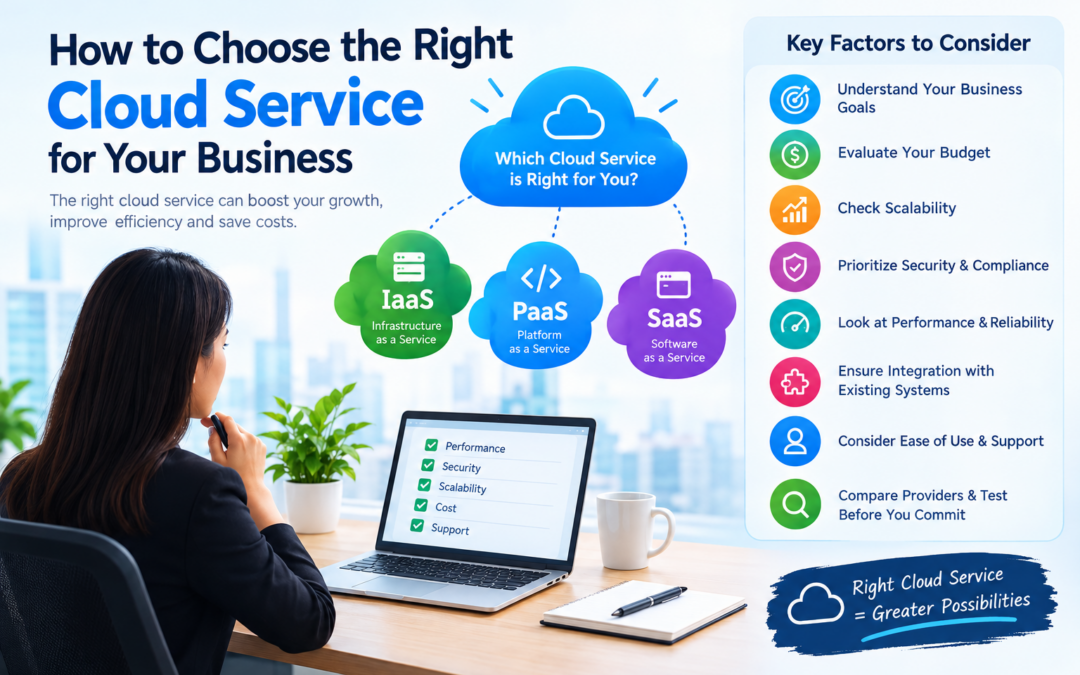
Choosing the right cloud service is an important decision for businesses that want to improve efficiency, reduce IT costs, and support future growth. With different options such as IaaS, PaaS, and SaaS, businesses must evaluate their requirements, budget, security needs, scalability, and technical capabilities before selecting a cloud solution.
The right cloud service should support your business goals while providing the required performance, scalability, security, and cost efficiency.
Before selecting a cloud platform, businesses should understand the differences between IaaS, PaaS, and SaaS.

How to Choose the Right Cloud Service
The first step is to understand the three major cloud service models: IaaS, PaaS, and SaaS.
Infrastructure as a Service (IaaS)
IaaS provides virtual infrastructure such as:
- Virtual machines
- Storage
- Networking
- Computing resources
- Firewalls
IaaS gives businesses more control but requires technical knowledge to manage operating systems, applications, and configurations.
Suitable for: IT teams, system administrators, and businesses running customized applications.
Platform as a Service (PaaS)
PaaS provides a ready-to-use platform for developing, testing, and deploying applications.
The provider manages the infrastructure and operating system, allowing developers to focus on application code.
Suitable for: Software developers and businesses building custom applications.
Software as a Service (SaaS)
SaaS provides complete software applications through the internet.
Examples include:
- Google Workspace
- Microsoft 365
- Salesforce
- Slack
- Zoom
Suitable for: Businesses that need ready-to-use software with minimal maintenance.
You can learn more about the differences in our guide to IaaS vs PaaS vs SaaS.
Identify Your Business Requirements
Before choosing a cloud service, identify what your business actually needs.
Ask the following questions:
- What problem should the cloud service solve?
- Do you need infrastructure, a development platform, or complete software?
- How many employees will use the service?
- What applications or workloads will run on it?
- How much storage do you need?
- Do you need remote access?
- What level of customization is required?
- What security and compliance requirements apply?
Clearly identifying your requirements helps prevent unnecessary spending and unsuitable service choices.
Consider Your Budget
Cloud pricing varies depending on the provider, service type, usage, storage, data transfer, and support plan.
When calculating the budget, consider:
- Monthly service charges
- Storage costs
- Data transfer fees
- User subscription costs
- Setup and migration expenses
- Technical support
- Security services
- Backup and disaster recovery
- Training costs
Do not select a service based only on its advertised starting price. Review the complete pricing structure and estimate the total cost of ownership.
For example, a low-cost service may become expensive if your business uses large amounts of storage or data transfer.
Evaluate Scalability
Your cloud service should be able to grow with your business.
Consider whether the service allows you to:
- Add more users
- Increase storage
- Upgrade computing resources
- Handle higher website traffic
- Support new business locations
- Scale during seasonal demand
- Reduce resources during low usage
IaaS and PaaS usually provide flexible infrastructure and application scaling. SaaS platforms may allow businesses to add users or upgrade subscription plans.
Choose a service that supports both your current requirements and future growth.
Check Security Features
Security is one of the most important factors when selecting a cloud service.
Review whether the provider offers:
- Data encryption
- Multi-factor authentication
- Identity and access management
- Firewalls
- Security monitoring
- Threat detection
- Regular security updates
- Backup and recovery
- Activity logging
Also check how the provider handles customer data and user permissions.
Businesses should use strong passwords, enable multi-factor authentication, and give employees only the access they need.
Review Compliance Requirements
Some businesses must follow industry-specific regulations and data protection requirements.
Depending on your industry, you may need to consider:
- Data privacy
- Financial regulations
- Healthcare requirements
- Data residency
- Audit logging
- Access controls
- Data retention policies
Ask the cloud provider whether its services support the compliance standards relevant to your business.
Do not assume that using a well-known cloud provider automatically makes your business compliant. Security and compliance responsibilities are usually shared between the provider and the customer.
Compare Performance and Reliability
Cloud performance can affect employee productivity, application speed, and customer experience.
Check the provider’s:
- Network performance
- Server locations
- Application response time
- Storage performance
- Service availability
- Uptime commitments
- Backup capabilities
- Disaster recovery options
Look for a suitable Service Level Agreement (SLA). An SLA explains the provider’s service availability commitments and support responsibilities.
For business-critical applications, consider services that offer high availability and reliable disaster recovery.
Check Integration with Existing Systems
The cloud service should work well with your current business tools and applications.
Check whether it can integrate with:
- CRM software
- Accounting systems
- Email platforms
- Databases
- Business websites
- Customer portals
- HR software
- Backup systems
- Identity management tools
Poor integration can create additional manual work and increase migration costs.
Before choosing a provider, confirm whether it supports the APIs, operating systems, databases, and applications your business already uses.
Review Backup and Disaster Recovery
Data loss or service interruption can affect business operations and customer trust.
Cloud Backup
Check whether the cloud provider offers:
- Automated backups
- Data replication
- Disaster recovery
- Recovery point options
- Recovery time options
- Backup retention
- Restore testing
- Geographic redundancy
Also understand what your business is responsible for backing up. Some cloud services provide infrastructure protection but do not automatically protect every application or file.
You can also read our guide on cloud backup for businesses to understand the importance of data protection.
Compare Customer Support
Reliable customer support is important when technical problems occur.
Review:
- Support availability
- Response times
- Support channels
- Email and phone support
- Live chat
- Technical documentation
- Dedicated account management
- Emergency assistance
Some providers offer basic support at no extra cost, while advanced support may require a paid plan.
Choose a support level based on how critical the cloud service is to your business.
Check Vendor Lock-In Risks
Vendor lock-in happens when it becomes difficult or expensive to move from one cloud provider to another.
To reduce this risk, review:
- Data export options
- Application portability
- Supported standards
- API availability
- Migration tools
- Contract terms
- Data deletion policies
- Exit costs
Using open standards and maintaining updated documentation can make future migration easier.
You can compare major providers in our article Google Cloud vs AWS vs Azure.
Start with a Small Workload
Instead of moving everything at once, begin with a low-risk application or department.
A small pilot migration allows your team to:
- Understand the platform
- Test security settings
- Measure performance
- Estimate costs
- Train employees
- Identify migration issues
After the pilot is successful, you can gradually move more workloads.
IaaS vs PaaS vs SaaS: Which One Should You Choose?
| Business Requirement | Suitable Model |
|---|---|
| Need control over virtual servers | IaaS |
| Want to build and deploy applications | PaaS |
| Need ready-to-use business software | SaaS |
| Have an experienced IT team | IaaS or PaaS |
| Have a small technical team | SaaS or managed PaaS |
| Need custom infrastructure | IaaS |
| Need fast software implementation | SaaS |
| Want to reduce infrastructure maintenance | PaaS or SaaS |
Final Cloud Service Selection Checklist
- Define business goals.
- Identify required cloud services.
- Choose between IaaS, PaaS, and SaaS.
- Estimate the complete cost.
- Check scalability.
- Check integration options.
- Review backup and disaster recovery.
- Check vendor lock-in risks.
- Test the service.
- Start with a small workload.
- Monitor performance and costs after implementation.
Conclusion
Choosing the right cloud service requires more than comparing prices. Businesses should consider their goals, technical skills, budget, security requirements, scalability needs, performance expectations, and existing systems.
IaaS is suitable for businesses that need infrastructure control, PaaS is useful for application development, and SaaS is ideal for ready-to-use software.
By evaluating these factors and testing services before making a final decision, businesses can select a cloud solution that supports long-term growth, improves efficiency, and delivers better value.
Frequently Asked Questions
What should I consider when choosing a cloud service?
Consider pricing, security, scalability, performance, reliability, integration, compliance, support, and ease of use.
Which cloud service model is best for small businesses?
SaaS is often suitable for small businesses that need ready-to-use applications with minimal maintenance. PaaS may be useful for businesses developing custom applications.
Is IaaS more expensive than SaaS?
The cost depends on usage and requirements. IaaS may require more technical management, while SaaS uses subscription pricing. Businesses should compare the total cost based on their needs.
How do I compare cloud providers?
Compare their pricing, services, security, availability, support, data-center locations, scalability, and compatibility with your existing systems.
Should I migrate all applications to the cloud at once?
No. Starting with a small, low-risk workload is usually easier and helps identify problems before a larger migration.
How can I avoid unexpected cloud costs?
Monitor usage, set budgets, remove unused resources, choose the correct service size, and review cloud bills regularly.