
Introduction
Small and medium businesses need reliable technology to manage their websites, applications, data, and daily operations. However, purchasing and maintaining physical servers can be expensive and difficult to manage.
Google Cloud provides cloud computing services that allow businesses to access computing resources, storage, databases, networking, security, and other technology tools over the internet.
With the right planning, Google Cloud can help small and medium businesses improve efficiency, reduce infrastructure management, and prepare for future growth.
In this article, we explore 10 benefits of Google Cloud for small and medium businesses.
Understanding the benefits of Google Cloud can help small and medium businesses choose suitable technology services.
What Is Google Cloud?
Google Cloud is a cloud computing platform provided by Google. It offers services that help businesses host applications, store data, manage databases, analyze information, and develop modern software. https://cloud.google.com
Some popular Google Cloud services include:
- Compute Engine – Virtual machines for hosting applications
- Cloud Storage – Storage for files, backups, and other data
- Cloud SQL – Managed relational databases
- Cloud Run – Platform for running containerized applications
- BigQuery – Data analytics and data warehousing
- Google Kubernetes Engine – Managed Kubernetes service
- Vertex AI – Artificial intelligence and machine learning services
Businesses can select only the services they need and scale them as their requirements change.

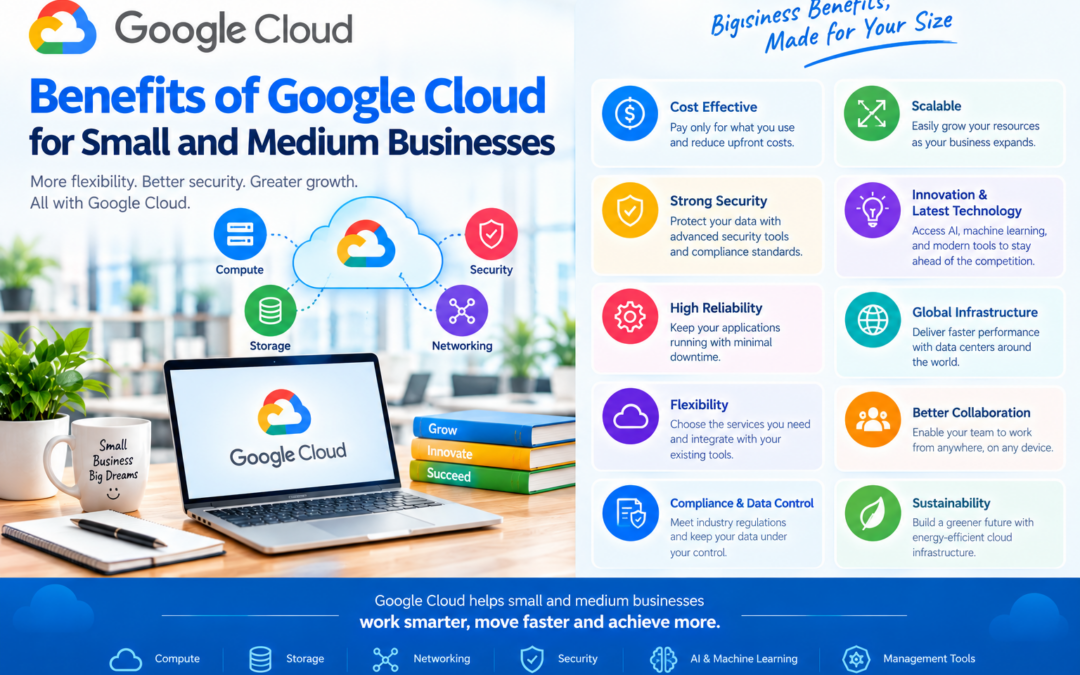
10 Benefits of Google Cloud for Small and Medium Businesses
The following benefits of Google Cloud can help businesses reduce infrastructure management, improve flexibility, and support business growth.
Reduced Infrastructure Costs
Traditional servers require businesses to purchase hardware, networking equipment, storage devices, and other infrastructure.
Google Cloud reduces the need for large upfront hardware investments. Businesses can use cloud resources and pay according to their usage or selected pricing plan.
However, businesses should monitor their usage because cloud costs can increase when resources are not managed properly.
Easy Scalability
Business requirements can change quickly. A website may receive more visitors during a sale, or an application may need additional resources as the customer base grows.
Google Cloud allows businesses to increase or decrease resources based on demand. This flexibility helps businesses avoid purchasing permanent hardware for temporary requirements.
Faster Application Deployment
Cloud services allow businesses and developers to deploy applications more quickly than traditional infrastructure in many cases.
Instead of waiting for physical servers to be purchased and configured, teams can create cloud resources and deploy applications through the Google Cloud Console, command-line tools, or automation.
This helps businesses launch new services and updates faster.
Reliable Data Storage
Google Cloud Storage provides scalable storage for business files and data.
Businesses can use it to store:
- Documents
- Images
- Videos
- Website files
- Application data
- Backup files
- Large datasets
Cloud storage can help businesses organize data and reduce dependence on local storage devices.
Improved Backup and Disaster Recovery
Data loss can happen because of hardware failure, accidental deletion, cyberattacks, or other unexpected events.
Google Cloud can support backup and disaster recovery strategies by allowing businesses to store copies of important data in cloud storage or other recovery environments.
Businesses can learn more about protecting important data by reading Cloud Backup for Business: Why Every Business Needs It Before It’s Too Late.
A proper disaster recovery plan should include:
- Regular backups
- Secure access controls
- Separate backup locations
- Data encryption
- Recovery testing
- Monitoring
Cloud services do not automatically replace the need for a backup strategy. Businesses must configure and test their recovery systems properly.
Strong Security Features
Google Cloud provides security tools that help businesses protect their applications and data.
These include:
- Identity and access management
- Encryption
- Network security
- Security monitoring
- Logging
- Access permissions
- Threat detection tools
Cloud security is a shared responsibility. Google secures the underlying infrastructure, while businesses must securely configure services, manage user access, and protect their applications.
Access to Advanced Technology
Small and medium businesses may not have the resources to build advanced technology systems independently.
Google Cloud provides access to services for:
- Artificial intelligence
- Machine learning
- Data analytics
- Automation
- Application development
- Container management
- Business intelligence
These tools can help smaller businesses use modern technology without building every system from the beginning.
Better Collaboration and Remote Access
Cloud-hosted applications and data can be accessed by authorized users from different locations.
This can support:
- Remote work
- Distributed teams
- Multi-location businesses
- Remote application management
- Collaboration between departments
Businesses must still use secure authentication and appropriate permissions to protect access.
Improved Business Insights
Google Cloud services such as BigQuery can help businesses analyze large amounts of data.
For example, businesses can analyze:
- Customer behavior
- Sales performance
- Website traffic
- Marketing results
- Product demand
- Operational costs
These insights can help business owners make better decisions based on data rather than assumptions.
Supports Business Growth
Google Cloud can support businesses as they expand.
A growing business may need:
- More storage
- Additional computing resources
- Better application performance
- New databases
- Improved security
- Advanced analytics
- Global availability
Cloud services allow businesses to add resources and services as their requirements develop.
Google Cloud Services Useful for Small Businesses
| Business Requirement | Suitable Google Cloud Service |
|---|---|
| Host a website or application | Compute Engine or Cloud Run |
| Store files and backups | Cloud Storage |
| Manage a relational database | Cloud SQL |
| Analyze business data | BigQuery |
| Run containerized applications | Google Kubernetes Engine |
| Build AI applications | Vertex AI |
| Run event-based code | Cloud Functions |
| Monitor applications | Google Cloud monitoring tools |
The best service depends on the application type, technical skills, budget, and business requirements.
Examples of Google Cloud Use Cases
E-commerce Business
An online store can use Google Cloud to:
- Host its website
- Store product images
- Manage customer and order databases
- Analyze sales data
- Scale during seasonal demand
Professional Services Company
A consulting or service-based business can use cloud services for:
- Hosting internal applications
- Storing documents
- Managing customer data
- Supporting remote employees
- Creating automated workflows
Startup
A startup can use Google Cloud to launch an application without purchasing physical servers. As the customer base grows, the startup can increase its cloud resources.
Educational Organization
An educational institution can use cloud services to host learning applications, store educational content, and manage data securely.
Things to Consider Before Using Google Cloud
Although Google Cloud provides many benefits, businesses should plan carefully.
Consider the following:
- Estimate monthly costs.
- Select the correct region.
- Configure user permissions.
- Protect sensitive information.
- Monitor resource usage.
- Remove unused resources.
- Create a backup and recovery plan.
- Train employees or hire technical support.
- Review service requirements regularly.
Cloud migration and management should be planned according to the business’s technical and financial needs.
For a detailed cloud provider comparison, read Google Cloud vs AWS vs Azure: Which Cloud Platform Is Right for Your Business?
Conclusion
Google Cloud offers several benefits for small and medium businesses, including reduced infrastructure costs, flexible scalability, reliable storage, improved backup options, security features, and access to advanced technology.
It can help businesses host applications, manage data, support remote work, analyze information, and prepare for future growth.
However, businesses should select services carefully, monitor costs, configure security properly, and create a clear cloud management plan.
The benefits of Google Cloud make it a useful option for businesses that need scalable, secure, and flexible cloud services.
Frequently Asked Questions
Is Google Cloud suitable for small businesses?
Yes. Small businesses can use Google Cloud for website hosting, file storage, databases, backups, application development, and data analytics.
Is Google Cloud expensive?
Google Cloud pricing depends on the services used, resource size, region, and usage. Businesses should estimate their actual workload and monitor costs regularly.
Can Google Cloud help with business backups?
Yes. Google Cloud can be used to store backup copies of important files, databases, and application data. Businesses should also test their recovery procedures.
Is Google Cloud secure?
Google Cloud provides security tools such as encryption, identity management, monitoring, and access control. Customers must configure these services securely.
Can a business use Google Cloud without an IT team?
A business can use some Google Cloud services with limited technical knowledge, but advanced infrastructure may require trained employees, a cloud consultant, or managed support.
What is the main benefit of Google Cloud?
One major benefit is flexibility. Businesses can access cloud resources and increase or decrease them according to their changing requirements.