
Introduction
Cybersecurity threats in 2026 are becoming more advanced as businesses depend on cloud platforms, artificial intelligence, remote work, connected devices, and third-party applications. From AI-powered phishing and ransomware to stolen credentials and cloud misconfiguration, businesses must understand these risks and take practical steps to protect their data, systems, and customers.
In 2026, businesses face a combination of traditional threats—such as phishing, ransomware, and weak passwords—and newer risks involving artificial intelligence, cloud environments, software supply chains, and digital identities.
Understanding these common cybersecurity threats helps businesses improve their security strategy, protect sensitive data, and reduce the impact of cyberattacks.

Note: The threats below are common areas of concern for businesses in 2026. They are not presented as a strict ranking because the level of risk varies by industry, company size, technology environment, and location.
AI-Powered Phishing and Social Engineering
Phishing attacks use fake emails, messages, websites, or phone calls to trick people into sharing sensitive information or performing unsafe actions. Google Workspace
In 2026, artificial intelligence can help attackers create more convincing messages with:
- Correct grammar and spelling
- Personalized business details
- Realistic company branding
- Fake customer or supplier requests
- Automated follow-up messages
- Voice-based impersonation
Attackers may also use vishing, which means voice phishing, to impersonate IT support staff, managers, or business partners.
How businesses can reduce the risk
- Train employees to identify suspicious messages.
- Verify unusual payment or access requests.
- Avoid clicking unknown links.
- Use email filtering and anti-phishing tools.
- Enable multi-factor authentication.
- Confirm sensitive requests through a separate communication channel.
Ransomware and Double Extortion
Ransomware is malware that encrypts files or systems and demands payment from the victim.
In a double-extortion attack, criminals first steal sensitive data and then encrypt systems. They may threaten to publish the stolen information if the ransom is not paid.
Ransomware can affect:
- Business applications
- Customer databases
- Shared files
- Payroll systems
- Websites
- Production systems
- Backup infrastructure
How businesses can reduce the risk
- Maintain regular backups.
- Keep at least one backup copy isolated from the main network.
- Test data restoration.
- Use endpoint detection and response tools.
- Apply security updates.
- Restrict administrator access.
- Prepare an incident response plan.
Stolen Credentials and Identity-Based Attacks
Cybercriminals often target usernames, passwords, access tokens, and other digital identities instead of directly attacking a system.
Common identity-based attacks include:
- Password theft
- Credential stuffing
- Brute-force attacks
- Session hijacking
- Account takeover
- Stolen API keys
- Misuse of service accounts
- Multi-factor authentication fatigue
Cloud environments can be especially exposed when employees, applications, and automated systems have excessive permissions.
How businesses can reduce the risk
- Use multi-factor authentication.
- Create strong, unique passwords.
- Use a password manager.
- Apply least-privilege access.
- Review user and service-account permissions.
- Disable inactive accounts.
- Monitor unusual login activity.
- Rotate exposed credentials and access keys.
Cloud Misconfiguration
Cloud misconfiguration happens when cloud resources are configured incorrectly.

Examples include:
- Publicly accessible storage buckets
- Open firewall ports
- Weak identity permissions
- Exposed databases
- Incorrect sharing settings
- Unsecured administrative accounts
- Missing encryption controls
A cloud provider may offer strong security features, but businesses must configure and manage many of those features correctly.
How businesses can reduce the risk
- Review cloud permissions regularly.
- Restrict public access.
- Use secure configuration templates.
- Enable logging and monitoring.
- Scan cloud environments for vulnerabilities.
- Apply security policies consistently.
- Use separate accounts for administration and daily work.
Third-Party and Software Supply Chain Attacks
Businesses depend on software vendors, cloud providers, contractors, plugins, APIs, and technology partners.
An attacker may compromise a trusted third party and use that relationship to reach the business.
Supply chain attacks can involve:
- Compromised software packages
- Malicious updates
- Infected plugins
- Stolen vendor credentials
- Compromised SaaS integrations
- Vulnerable service providers
- Malicious code repositories
Cloud threat research has highlighted compromised third-party relationships, stolen tokens, and software supply chain attacks as important security concerns.
How businesses can reduce the risk
- Review vendor security practices.
- Maintain an inventory of third-party services.
- Limit vendor access.
- Monitor integrations and API activity.
- Update software from trusted sources.
- Require security commitments in vendor contracts.
- Prepare a plan for disabling a compromised integration.
Deepfake and Business Impersonation Fraud
Deepfakes use artificial intelligence to create realistic fake images, videos, or voices.
Attackers may impersonate:
- Company executives
- Finance managers
- Customers
- Suppliers
- IT administrators
- Business partners
For example, an employee may receive a voice call that appears to come from a senior manager requesting an urgent payment or transfer.
How businesses can reduce the risk
- Verify unusual financial requests.
- Use approval procedures for payments.
- Do not rely only on voice recognition.
- Confirm requests through a known phone number.
- Train employees about deepfake scams.
- Require multiple approvals for high-value transactions.
API and Application Vulnerabilities
APIs allow applications and services to communicate with one another. Businesses use APIs for payment systems, CRM platforms, mobile applications, cloud services, and customer portals.
Poorly secured APIs may expose:
- Customer information
- Authentication tokens
- Business records
- Internal systems
- Payment details
- Administrative functions
Common API security problems include weak authentication, excessive data exposure, poor input validation, and missing rate limits.
How businesses can reduce the risk
- Use strong API authentication.
- Validate all inputs.
- Limit API permissions.
- Apply rate limiting.
- Encrypt data in transit.
- Monitor API activity.
- Test APIs for security weaknesses.
- Remove unused API endpoints.
Insider Threats and Accidental Data Exposure
An insider threat involves a current or former employee, contractor, or trusted user who causes a security incident.
The incident may be:
- Malicious
- Accidental
- Caused by negligence
- Caused by a compromised employee account
Examples include:
- Sending confidential files to the wrong person
- Downloading sensitive data to a personal device
- Sharing passwords
- Deleting important records
- Misusing administrative access
- Uploading company information to an unauthorized AI tool
How businesses can reduce the risk
- Use role-based access controls.
- Monitor sensitive data access.
- Apply data loss prevention policies.
- Remove access when employees leave.
- Train employees on secure data handling.
- Separate administrative duties.
- Review unusual downloads and file transfers.
IoT and Connected Device Vulnerabilities
Internet of Things (IoT) devices include:
- Smart cameras
- Printers
- Sensors
- Routers
- Smart access systems
- Connected machinery
- Building management devices
- Point-of-sale systems
These devices may become entry points into a business network if they use default passwords, outdated software, or insecure connections.
How businesses can reduce the risk
- Change default passwords.
- Update device firmware.
- Separate IoT devices from critical systems.
- Disable unused services.
- Monitor connected devices.
- Replace unsupported hardware.
- Use network segmentation.
- Maintain an accurate device inventory.
Zero-Day Exploits and Unpatched Vulnerabilities
A vulnerability is a weakness in software, hardware, or a system configuration.
A zero-day exploit targets a vulnerability before the vendor has released a complete security fix or before organizations have had time to apply it.
Attackers may target:
- Operating systems
- Web applications
- VPN devices
- Firewalls
- Cloud software
- Browsers
- Plugins
- Remote-access tools
- Business applications
Unpatched vulnerabilities can remain exposed for long periods, especially when businesses do not have a clear update process.
How businesses can reduce the risk
- Maintain an asset inventory.
- Apply security patches quickly.
- Prioritize critical vulnerabilities.
- Use vulnerability scanning.
- Monitor vendor security advisories.
- Restrict remote access.
- Use compensating controls when patches are not immediately available.
- Test updates before deployment.
Additional Threat: Cloud and SaaS Data Exfiltration
Businesses increasingly use SaaS applications for communication, storage, CRM, accounting, and collaboration.
Attackers may steal data through:
- Compromised OAuth tokens
- Malicious browser sessions
- Unauthorized file sharing
- Stolen administrator accounts
- Unsafe third-party integrations
- Shadow IT applications
Businesses should review connected applications, third-party permissions, and file-sharing settings regularly.
How Businesses Can Improve Cybersecurity in 2026
A strong cybersecurity strategy should include several layers of protection.
1. Protect user identities
Use multi-factor authentication, strong passwords, least-privilege access, and regular permission reviews.
2. Secure cloud environments
Review cloud configurations, restrict public access, encrypt sensitive data, and monitor cloud activity.
3. Train employees
Provide regular training on phishing, deepfakes, password safety, social engineering, and secure data handling.
4. Maintain tested backups
Create regular backups and test whether critical applications and data can be restored.
5. Update systems
Install security patches for operating systems, applications, devices, plugins, and network equipment.
6. Monitor for suspicious activity
Use security alerts, endpoint protection, log monitoring, and threat detection tools.
7. Review third-party access
Check vendors, APIs, SaaS applications, and integrations that connect to business systems.
8. Prepare an incident response plan
The plan should explain how to:
- Identify a security incident
- Isolate affected systems
- Disable compromised accounts
- Contact internal teams
- Restore backups
- Communicate with customers
- Document the incident
Cybersecurity Checklist for Businesses
| Security Area | Recommended Action |
|---|---|
| Account security | Enable multi-factor authentication |
| Passwords | Use strong and unique passwords |
| Access control | Apply least-privilege permissions |
| Cloud security | Review configurations and public access |
| Backup | Maintain regular, tested backups |
| Software | Install security updates |
| Employee awareness | Conduct phishing and security training |
| Third parties | Review vendor and integration access |
| Monitoring | Track suspicious activity and alerts |
| Incident response | Create and test a recovery plan |
Conclusion
Cybersecurity threats in 2026 are becoming more automated, targeted, and connected to cloud services, digital identities, artificial intelligence, and third-party platforms.
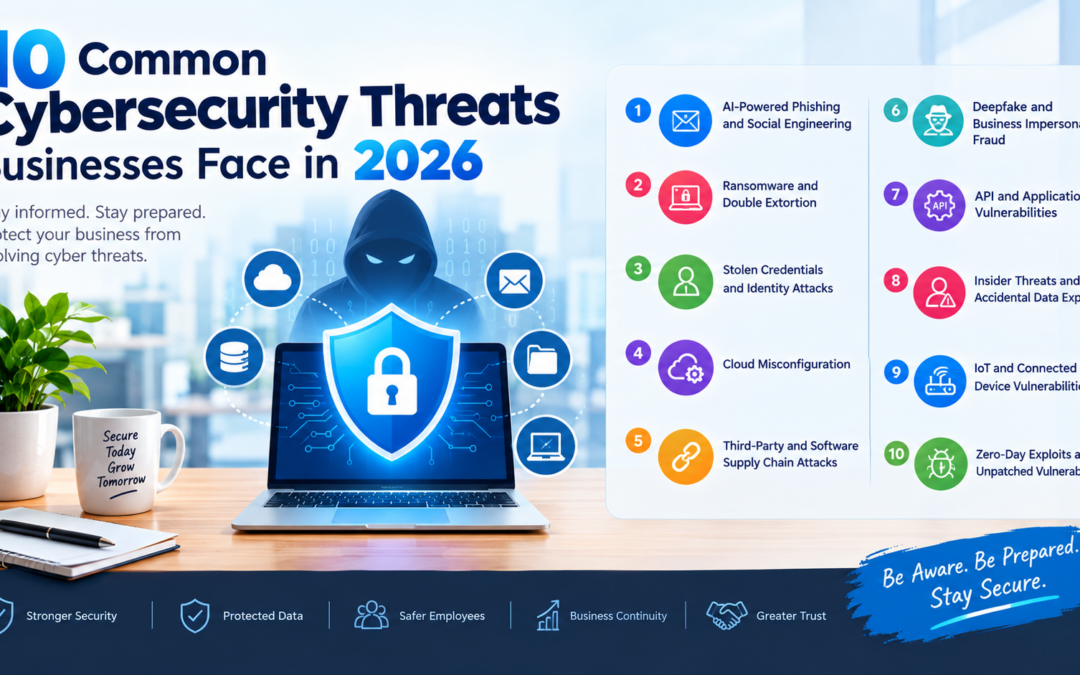
The most common risks businesses should prepare for include AI-powered phishing, ransomware, stolen credentials, cloud misconfiguration, supply chain attacks, deepfake fraud, API vulnerabilities, insider threats, IoT weaknesses, and unpatched software.
Businesses can reduce their exposure by combining strong identity protection, secure cloud configurations, employee training, regular backups, software updates, monitoring, and incident response planning.
Cybersecurity is not a one-time activity. It requires continuous review and improvement as business technology and cyber threats change.
Frequently Asked Questions
What are the most common cybersecurity threats businesses face in 2026?
Common threats include phishing, ransomware, stolen credentials, cloud misconfiguration, supply chain attacks, deepfake fraud, API vulnerabilities, insider threats, IoT vulnerabilities, and zero-day exploits.
Why are AI-powered cyberattacks a growing concern?
Artificial intelligence can help attackers create convincing phishing messages, automate reconnaissance, impersonate people, and increase the speed of attacks.
How can businesses protect themselves from ransomware?
Businesses should maintain tested backups, use endpoint protection, enable multi-factor authentication, apply software updates, restrict administrator access, and prepare an incident response plan.
Is cloud computing secure for businesses?
Cloud platforms provide many security features, but businesses must correctly configure accounts, permissions, applications, storage, and data protection controls.
What is the biggest cybersecurity mistake businesses make?
Common mistakes include using weak passwords, failing to enable multi-factor authentication, ignoring software updates, not testing backups, and giving users excessive access.