
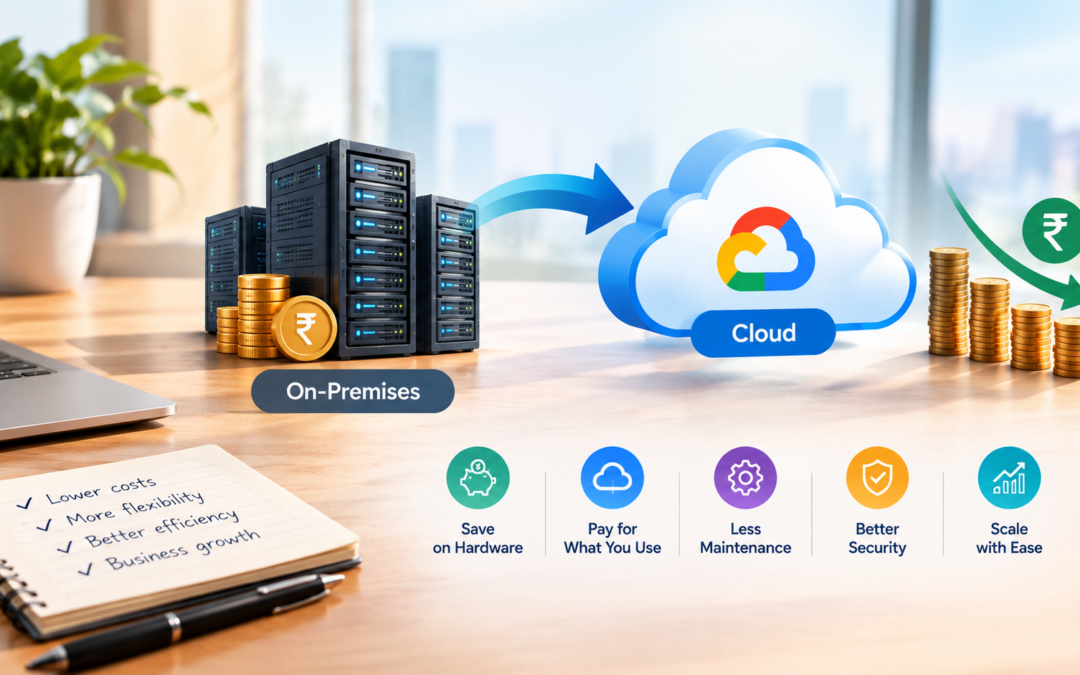
Cloud migration means moving a business’s IT systems, applications, data, and services from local servers to a cloud platform such as Google Cloud, AWS, or Microsoft Azure.

For many businesses, cloud migration can reduce IT costs by replacing expensive hardware and maintenance with flexible, usage-based cloud services.
Cloud migration helps businesses modernize their infrastructure, improve scalability, and manage IT resources more efficiently. Learn more about Google Cloud migration .
1. Reduces Hardware Costs
Businesses using on-premises servers must purchase:
- Physical servers
- Storage devices
- Networking equipment
- Backup systems
- Cooling systems
- Power infrastructure
Cloud providers manage this infrastructure. Businesses can use cloud resources without purchasing and maintaining expensive hardware.
2. Reduces Maintenance Expenses
Traditional IT infrastructure requires regular maintenance, repairs, upgrades, and monitoring.
With cloud services, much of the infrastructure maintenance is handled by the cloud provider. This reduces the need for businesses to spend money on hardware repairs and infrastructure management.
3. Pay Only for What You Use
Cloud platforms generally follow a pay-as-you-go pricing model.
Businesses pay for the computing power, storage, and services they actually use. They can reduce costs by stopping unused resources and choosing suitable service plans.
For example, a business may reduce the size of its cloud server during periods of low demand.
4. Improves Scalability
Traditional infrastructure often requires businesses to purchase extra hardware in advance to handle future growth.
Cloud resources can be increased or decreased based on business needs. This prevents businesses from spending money on unused capacity.
5. Reduces Energy and Cooling Costs
Maintaining an on-premises data center requires electricity for:
- Server operation
- Cooling systems
- Backup power
- Network equipment
Cloud migration transfers much of this infrastructure responsibility to the cloud provider, helping businesses reduce electricity and cooling expenses.
6. Lowers Backup and Disaster Recovery Costs
Setting up a traditional backup and disaster recovery system can be expensive. Businesses may need additional servers, storage devices, and a separate recovery location.
Cloud backup and disaster recovery services allow businesses to store copies of their data and recover systems without maintaining a complete secondary data center.
7. Reduces IT Staffing Requirements
Cloud services simplify infrastructure management through automation, monitoring tools, and managed services.
Businesses may need fewer resources for tasks such as:
- Server management
- Hardware replacement
- Software updates
- Infrastructure monitoring
- Backup maintenance
Existing IT employees can focus more on business applications and strategic projects.
8. Decreases Software and Upgrade Costs
Cloud providers maintain the underlying infrastructure and often manage software updates, security patches, and system upgrades.
This reduces the time and cost involved in manually updating systems and maintaining outdated software.
9. Supports Remote Work
Cloud-based applications and storage allow employees to access business resources from different locations.
Businesses can reduce expenses related to physical office infrastructure, private networks, and remote-access hardware while supporting flexible work arrangements.
10. Improves Business Productivity
Cloud migration can reduce downtime and improve access to business applications.
When systems are reliable and accessible, employees spend less time dealing with technical problems and more time completing productive work. This can reduce operational costs over time.
Cloud Migration Cost Comparison
| Traditional IT Infrastructure | Cloud Infrastructure |
|---|---|
| Requires large upfront hardware investment | Uses subscription or usage-based pricing |
| Business maintains physical servers | Cloud provider manages core infrastructure |
| Requires data-center space | Uses provider-managed data centers |
| Hardware upgrades are expensive | Resources can be resized or upgraded digitally |
| Capacity is often fixed | Capacity can scale based on demand |
| Backup infrastructure must be maintained | Cloud backup and recovery services are available |
| IT staff spend time on hardware maintenance | IT staff can focus on strategic work |
Important Considerations Before Migration

Cloud migration helps businesses modernize their infrastructure, improve scalability, and manage IT resources more efficiently. Learn more about Google Cloud migration and explore the benefits of Google Cloud.
Cloud migration does not automatically reduce costs. Businesses should first evaluate:
- Cloud service pricing
- Data transfer charges
- Storage requirements
- Application compatibility
- Security and compliance needs
- Migration and training expenses
- Unused or overprovisioned cloud resources
A proper migration plan and regular cost monitoring are important for achieving savings.
Conclusion
Cloud migration can reduce IT costs by lowering hardware expenses, reducing data-center maintenance, supporting pay-as-you-go pricing, improving resource utilization, and simplifying backup and disaster recovery.
It can also improve IT staff productivity and reduce the financial impact of downtime. However, cloud migration requires careful planning, cost monitoring, and proper resource management.
When implemented strategically, cloud migration helps businesses build a more flexible, scalable, and cost-efficient IT environment.
Frequently Asked Questions
1. What is cloud migration?
Cloud migration is the process of moving a business’s applications, data, databases, and IT infrastructure from physical servers or traditional data centers to a cloud platform.
2. How does cloud migration reduce IT costs?
Cloud migration can reduce costs by lowering hardware expenses, reducing data-center maintenance, supporting pay-as-you-go pricing, and allowing businesses to scale resources according to demand.
3. Does cloud migration eliminate the need for physical servers?
Cloud migration can reduce the need for physical servers, but some businesses may still need on-premises infrastructure for security, compliance, performance, or specific business requirements.
4. Is cloud migration cheaper than traditional IT infrastructure?
Cloud migration can be more cost-efficient over time, but the final cost depends on cloud usage, migration expenses, storage requirements, software licenses, and resource management.
5. What is pay-as-you-go cloud pricing?
Pay-as-you-go pricing means businesses pay for the cloud resources they use instead of purchasing expensive hardware and infrastructure in advance.
6. Can cloud migration reduce hardware maintenance costs?
Yes. Cloud providers manage much of the underlying hardware, maintenance, upgrades, and infrastructure support. This reduces the time and money businesses spend maintaining physical servers.