
Introduction
Choosing the right cloud platform is an important decision for businesses moving their applications, websites, and data to the cloud. Among the most widely used options are Google Cloud, Amazon Web Services (AWS), and Microsoft Azure.
Each platform offers powerful infrastructure, storage, databases, security tools, and services for businesses of different sizes. However, their strengths, pricing models, and services differ.
In this guide, we compare Google Cloud vs AWS vs Azure to help businesses understand their options and choose a platform that matches their technical requirements and business goals.

What Is Cloud Computing?
Cloud computing is the delivery of computing services—such as servers, storage, databases, networking, and software—over the internet.
Instead of purchasing and maintaining physical servers, businesses can use cloud resources from a provider and pay according to their usage or subscription.
If you want to understand website hosting in more detail, read our guide on Web Cloud Backup Hosting Explained: Key Things to Know Before Picking a Provider.
Benefits of cloud computing
- Reduced need for physical infrastructure
- Flexible resource scaling
- Access to services from different locations
- Improved disaster recovery options
- Faster deployment of applications
- Access to managed technology services
What Is Google Cloud?
Google Cloud, also known as Google Cloud Platform (GCP), is Google’s cloud computing platform. It provides infrastructure and managed services for hosting applications, storing data, building software, and using artificial intelligence.
Google Cloud is known for its data analytics, machine learning, Kubernetes, and global infrastructure capabilities
Key Google Cloud services
- Compute Engine – Virtual machines
- Cloud Storage – Object storage
- Google Kubernetes Engine (GKE) – Managed Kubernetes
- Cloud SQL – Managed relational databases
- BigQuery – Data analytics and data warehousing
- Vertex AI – AI and machine learning services
What Is AW
Amazon Web Services (AWS) is a cloud platform from Amazon that provides a wide range of infrastructure and managed services.
AWS offers services for computing, storage, databases, networking, security, analytics, and application development. https://aws.amazon.com/
Key AWS services
- Amazon EC2 – Virtual servers
- Amazon S3 – Object storage
- Amazon RDS – Managed relational databases
- Amazon EKS – Managed Kubernetes
- AWS Lambda – Serverless computing
- Amazon CloudFront – Content delivery network
What Is Microsoft Azure?
Microsoft Azure is Microsoft’s cloud computing platform. It provides cloud infrastructure, application services, databases, analytics, and AI tools.
Azure is particularly useful for organizations that already use Microsoft products and enterprise technologies.
Key Azure services
- Azure Virtual Machines – Virtual servers
- Azure Blob Storage – Object storage
- Azure SQL Database – Managed SQL database
- Azure Kubernetes Service (AKS) – Managed Kubernetes
- Azure Functions – Serverless computing
- Microsoft Entra ID – Identity and access management
Google Cloud vs AWS vs Azure: Comparison
| Feature | Google Cloud | AWS | Microsoft Azure |
|---|---|---|---|
| Provider | Amazon | Microsoft | |
| Virtual machines | Compute Engine | EC2 | Azure Virtual Machines |
| Object storage | Cloud Storage | Amazon S3 | Azure Blob Storage |
| Managed Kubernetes | GKE | EKS | AKS |
| Managed SQL database | Cloud SQL | Amazon RDS | Azure SQL Database |
| Serverless computing | Cloud Run / Cloud Functions | AWS Lambda | Azure Functions |
| Data analytics | BigQuery | Amazon Redshift | Azure Synapse Analytics |
| AI services | Vertex AI | Amazon Bedrock / SageMaker | Azure AI services |
| Best fit | Data, AI, cloud-native workloads | Broad service ecosystem | Microsoft-focused businesses |
Google Cloud vs AWS vs Azure: Which Is Better?
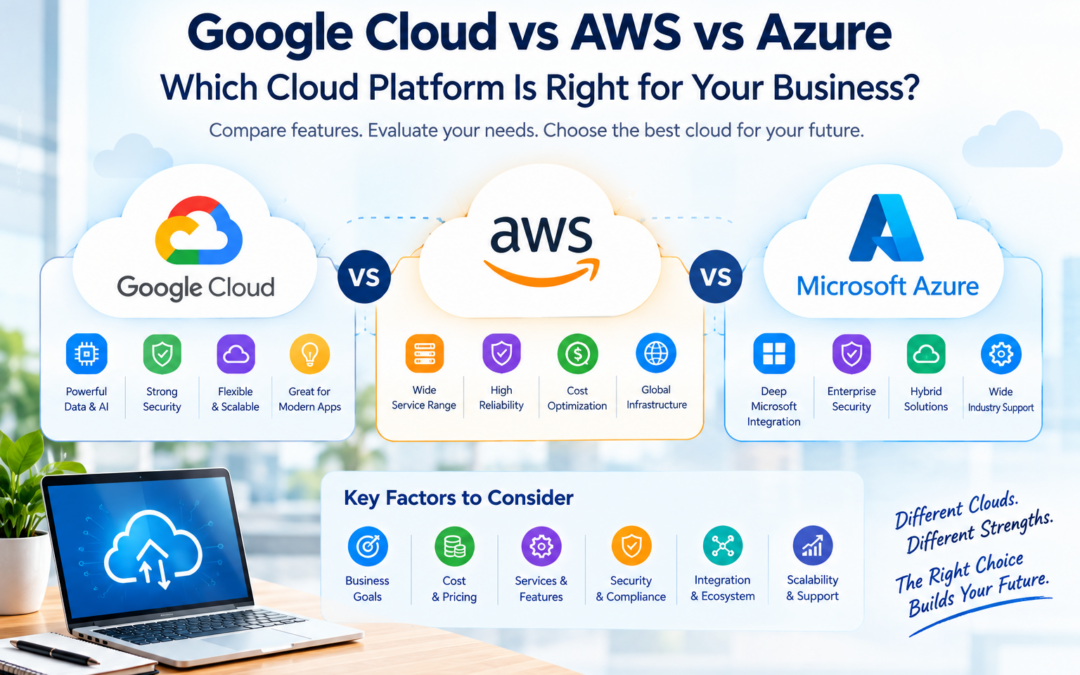
There is no single cloud platform that is best for every business. The right choice depends on your workload, existing technology, budget, and future plans.
Choose Google Cloud if:
- Your business needs advanced data analytics.
- You are interested in AI and machine learning.
- You plan to use Kubernetes or cloud-native applications.
- You want to build solutions using Google’s cloud ecosystem.
Choose AWS if:
- You need a broad range of cloud services.
- Your business uses AWS-specific tools or expertise.
- You require flexibility across many infrastructure options.
- You want access to a large cloud service ecosystem.
Choose Azure if:
- Your business already uses Microsoft 365 or Windows Server.
- You need integration with Microsoft enterprise tools.
- Your organization uses Microsoft-based identity and applications.
- You want to build solutions using Azure’s enterprise services.
Cloud Pricing: What Should Businesses Consider?
Cloud pricing varies depending on the provider, region, service, usage, and configuration.
When comparing Google Cloud, AWS, and Azure, businesses should consider:
- Compute costs – Virtual machines and processing resources.
- Storage costs – Data storage and retrieval.
- Data transfer costs – Charges for moving data between services or locations.
- Database costs – Managed database usage and storage.
- Support costs – Technical support plans.
- Scaling costs – Additional resources during high demand.
Important: Don’t choose a cloud provider based only on the advertised price. Compare the total cost of ownership (TCO) for your actual workload.
Security and Reliability
All three major cloud providers offer security tools, identity management, encryption, monitoring, and compliance-related services.
However, cloud security is a shared responsibility. The provider secures the underlying infrastructure, while the customer is responsible for properly configuring services, managing access, protecting data, and maintaining secure applications.
How to Choose the Right Cloud Platform
Before selecting a cloud provider, businesses should evaluate their current needs and future growth plans.
Consider the following factors:
Understand Your Workload
Identify what you want to host or run in the cloud:
- Websites and web applications
- Business software
- Databases
- AI and machine learning applications
- Data analytics workloads
- Backup and disaster recovery systems
Different workloads may perform better or cost less on different platforms.
Check Regional Availability
Choose a provider that offers services in the regions where your customers and employees are located. Regional availability can affect:
- Application speed
- Data residency
- Compliance requirements
- Service availability
- Data transfer costs
Compare Pricing
Use each provider’s pricing calculator to estimate the monthly cost of your actual workload. Include computing, storage, databases, networking, support, and backup costs.
Consider Existing Technology
Your existing technology stack can influence your decision.
For example:
- Microsoft-based organizations may benefit from Azure integration.
- Businesses using Google Workspace and Google data services may prefer Google Cloud.
- Organizations with existing AWS skills may find AWS easier to manage.
Evaluate Skills and Support
Consider whether your team has experience with the selected platform. You should also check:
- Availability of trained professionals
- Documentation and learning resources
- Technical support plans
- Partner and consulting services
- Migration assistance
Plan for Future Growth
Choose a platform that can support your expected business growth. Check whether it provides flexible scaling, managed services, automation, monitoring, and security features.
Cloud Migration Tips for Businesses
Moving to the cloud requires proper planning. Businesses should follow these steps:
- Assess existing infrastructure and identify applications, databases, and data that need to be migrated.
- Set clear migration goals, such as reducing infrastructure costs or improving scalability.
- Choose the right migration strategy, such as rehosting, replatforming, or refactoring.
- Create a backup before starting the migration process.
- Test applications and databases in the new cloud environment.
- Review security settings, user permissions, encryption, and network access.
- Monitor performance and costs after migration.
- Train employees to use and manage the new cloud environment.
A well-planned migration can reduce downtime, avoid unexpected expenses, and improve long-term performance.
Final Verdict: Google Cloud vs AWS vs Azure
Google Cloud, AWS, and Microsoft Azure are all powerful cloud platforms. The best option depends on the business’s workload, budget, existing technology, and technical expertise.
- Google Cloud is a strong choice for data analytics, artificial intelligence, machine learning, and cloud-native development.
- AWS is suitable for businesses that need a broad range of services and infrastructure flexibility.
- Azure is a good option for organizations that depend on Microsoft products and enterprise technologies.
Instead of choosing a provider only because of its popularity or advertised pricing, businesses should compare services, performance, security, support, and total cost of ownership.
The right cloud platform is the one that meets your current requirements while supporting your future business growth.
Frequently Asked Questions
Is Google Cloud better than AWS or Azure?
Google Cloud is not automatically better than AWS or Azure. It may be a better fit for businesses focused on data analytics, AI, machine learning, and Google’s cloud ecosystem.
Which cloud platform is the cheapest?
There is no single cheapest provider for every workload. Pricing depends on the region, services, usage, storage, data transfer, and configuration. Businesses should compare the total cost for their specific requirements.
Which cloud platform is best for beginners?
All three platforms provide beginner-friendly learning resources. The best choice depends on the services you want to learn and the technology your organization uses.
Is Azure suitable for Microsoft 365 users?
Yes. Azure can integrate well with Microsoft 365, Windows Server, Microsoft Entra ID, and other Microsoft enterprise services.
Can a business use more than one cloud provider?
Yes. A business can use a multi-cloud strategy by using services from two or more cloud providers. However, multi-cloud environments may require additional management, security, monitoring, and technical expertise.